How can we help?
Top 4 Frequently Asked Questions
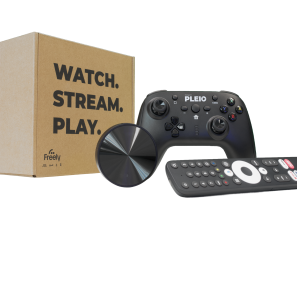
How do I connect my PLEIO puck?
Connect the supplied HDMI cable between your TV and the PLEIO puck, then plug in the power adaptor to switch it on. The setup sequence should load automatically — if not, use your TV remote’s Source/Input key to select the correct HDMI port.
Read the ArticleCan you guide me through the on-screen setup?
After pairing your remote and choosing a language, you’ll connect to Wi-Fi, sign in with Google, and update the puck’s firmware and software. The final steps cover PLEIO’s terms, a Parental PIN, and your postcode for Freely — after which your home page loads and you’re ready to go.
Read the ArticleHow do I install or uninstall apps?
To install an app, head to the Apps section, open the Google Play Store, find what you’re after, and select Install. To remove one, press and hold OK on the app icon, choose More Info, then select Uninstall and confirm.
Read the ArticleHow do I pair my PLEIO gamepad?
In Settings, go to Remotes and Accessories and select Pair Accessory, then hold A and HOME on the gamepad for 5 seconds until the top LED stays lit. From there you can fine-tune Turbo settings and vibration intensity to suit your play style.
Read the ArticlePick the service you need help with: